01 / CATCH IT
Save the actual moment.
Write or dictate a note while it is fresh. A specific person, place or irritating detail is a better starting point than “something about dating”.
COMEDY WRITING APP
Keep the strange little things you notice. Find your angle. Turn them into material you can actually say out loud.
On the App Store for iPhone, iPad, Mac and Apple Watch.
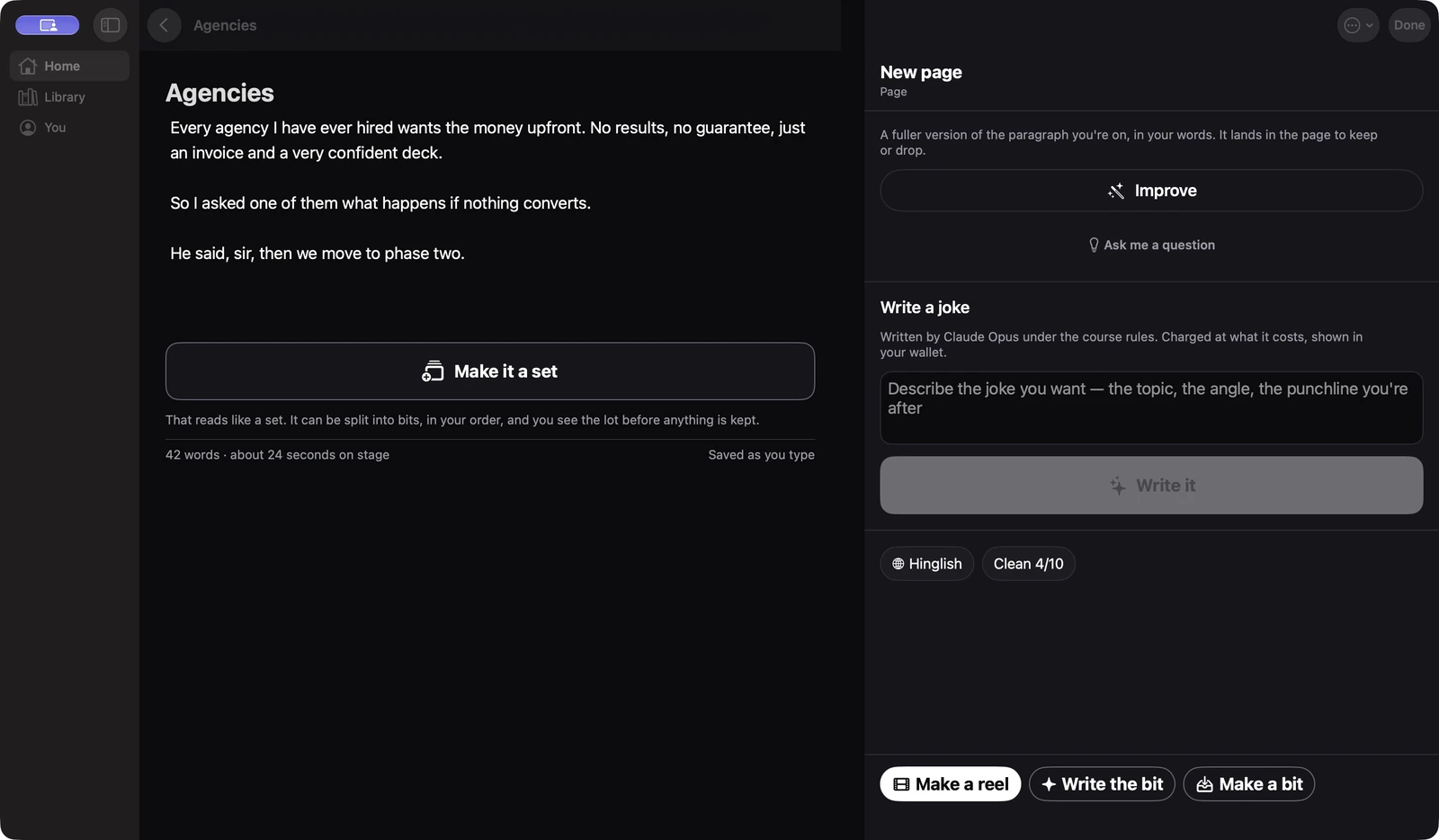
FROM AN IDEA TO A SET
A comedy tool should help you notice the choices in a line. You decide which ones sound like you.
Write or dictate a note while it is fresh. A specific person, place or irritating detail is a better starting point than “something about dating”.
Use writing help to explore an angle, tighten a setup and consider a different punchline. Inspect the reasoning, then keep or change the suggestion.
Arrange your bits into a set. Rehearse with cards or your voice, notice where you hesitate and cut what takes too long to reach the point.
WATCH THE WORKFLOW
This uncut Mac recording follows a practice note through writing and set planning. It shows the native app, including the time spent moving between steps.
The Mac app opens a note, works with the material, shows writing feedback and moves into Tonight set planning. The running-time figure is an estimate. This recording does not demonstrate a live stage recording or iCloud synchronisation.
Meera is a fictional practice character used for this recording. Any score shown is writing feedback for that input, not a measured probability of getting a laugh. The set duration is an estimate.
A NOTEBOOK THAT COMES WITH YOU
Mac is your writing room: notes, material, sets and video work. iPhone and iPad also have Stage and Live tools. Apple Watch can act as a stage remote.
Written material and kept media can sync through your private iCloud. Device features and permissions affect what is available.
See where your material lives →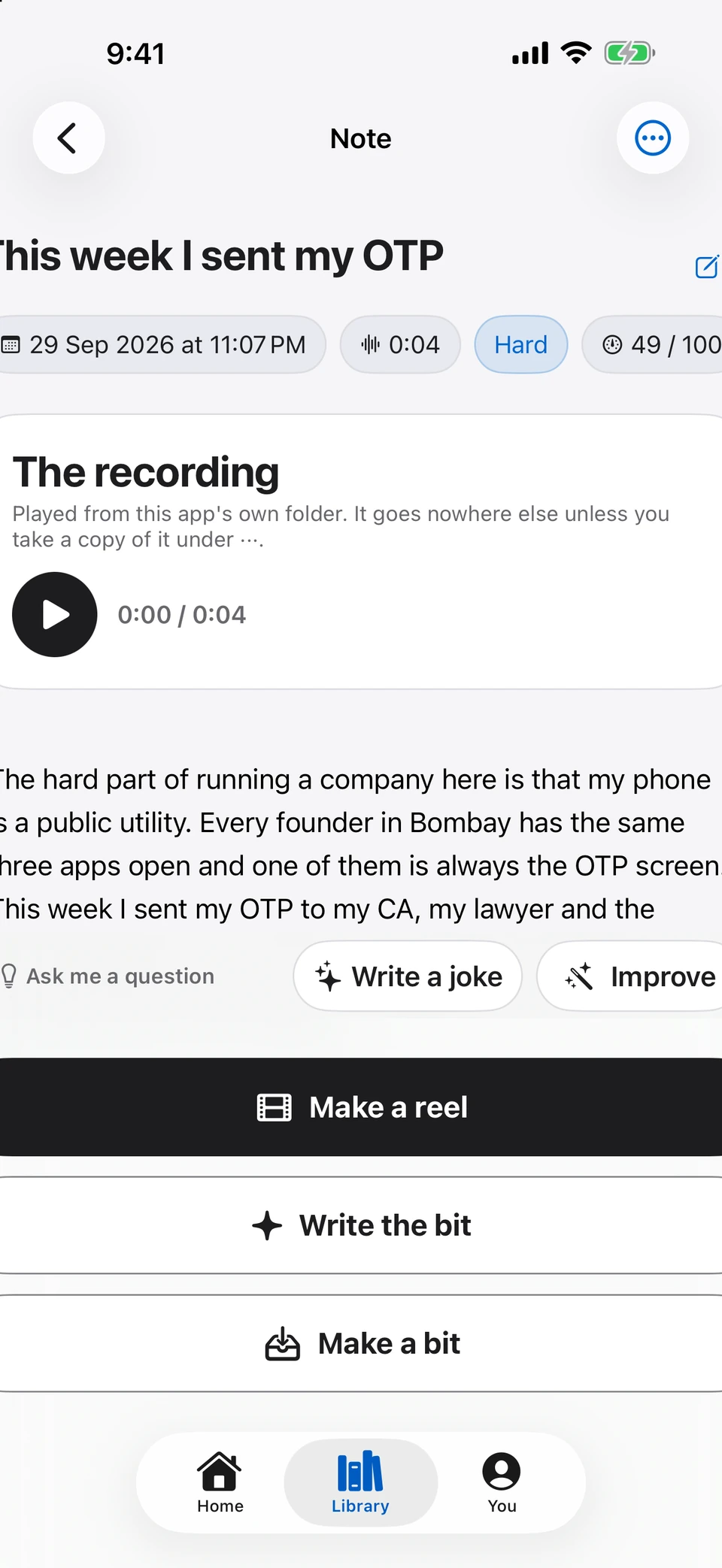
YOUR WORDS, IN YOUR LANGUAGE
Writing and reels offer English, Hinglish, Hindi, Telugu, Tamil, Kannada, Marathi and Punjabi choices. Pronunciation preparation helps preserve the way you mean a line to sound; generated speech still needs your review.
Try the Hindi and Hinglish writing guide →Online writing help sends the relevant text to the writing service described in the app. Note transcription and supported rehearsal tools run on your device. You can inspect suggestions, rewrite them and keep working in your own voice.
A generated punchline is a draft. Check its originality, say it aloud and test it with an audience. A score cannot promise that a room will laugh.
YOUR NEXT LINE STARTS HERE
Writing, rehearsal and video tools for Apple devices. On the App Store for iPhone, iPad, Mac and Apple Watch.
Get the app ↗