01 / YOUR LIKENESS
Start with you.
Personal Double uses an approved capture of you. Live verification and checks on reference assets help prevent someone from using another person’s likeness.
Read about identity and consent →PERSONAL DOUBLE
Make an AI video with your own approved likeness. Direct the script, inspect the pronunciation and review the result before it leaves your hands.
On the App Store for iPhone, iPad, Mac and Apple Watch.

FROM SCRIPT TO SCREEN
Personal Double uses an approved capture of you. Live verification and checks on reference assets help prevent someone from using another person’s likeness.
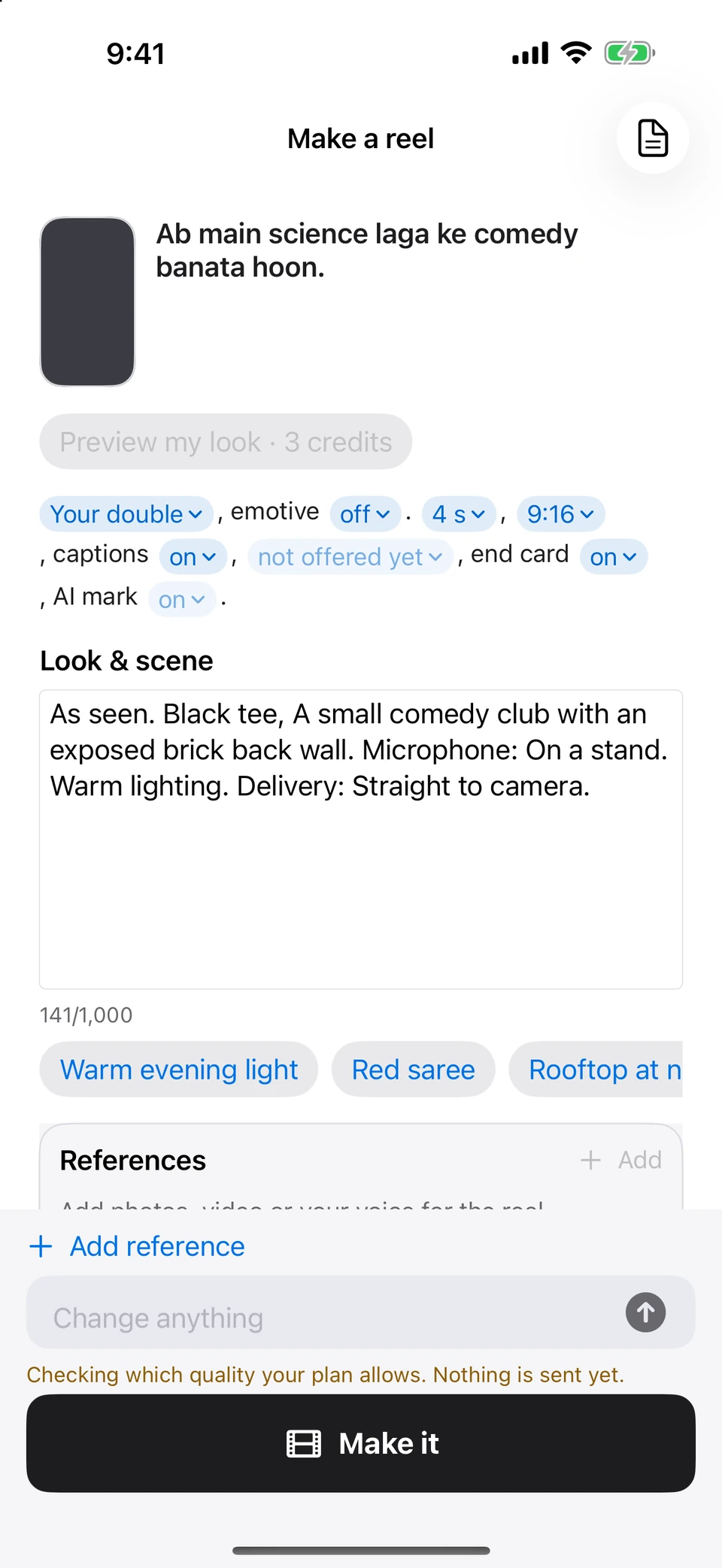
Read about identity and consent →Review Script and cuts, the scene, delivery guidance and “Said as” pronunciation. Inspect the quote before using credits to render through the online video service.
Review each part. Remake a part that needs work and compare its takes. Keep the current take until you accept a replacement.
LONGER VIDEOS
A longer script becomes a sequence of short renders. The app tracks the parts and joins the finished ones into a whole video, while keeping individual clips available.
Continuity, facial detail and delivery can vary between parts. Check the joins. Rendering limits depend on the service and the selected workflow.
The 62-second showcase on this site was edited by hand. It demonstrates a generated performance; it is not proof of a single continuous render or an automatic in-app edit.
FIX WHAT YOU HEAR
The on-device Hasyam pronunciation layer prepares mixed-language writing for the video model. “Said as” gives you a place to inspect or correct the spoken form while keeping your original captions.
On supported generated parts, an in-place pronunciation edit can correct up to five words. Where that edit is unavailable, remake the part. Both paths show their cost before you proceed.
Saving a pronunciation helps future instructions. It does not silently change a video that has already been made.
Explore the language layer →Prefer to film yourself? Use the voice-paced prompter, record a take, trim by selecting the first and last word, and export captions. These supported filming and editing tools run on your device.
Generated app exports check signed Content Credentials. If the visible AI label is switched off, embedding must succeed; otherwise the visible label stays. Subsequent editing or another platform may change or remove that provenance.
Using the app does not require an email or phone login. Online generation sends the necessary script and approved references to the video provider, with consent information in the app.
YOUR NEXT LINE STARTS HERE
Writing, rehearsal and video tools for Apple devices. On the App Store for iPhone, iPad, Mac and Apple Watch.
Get the app ↗