Skip to content
crushedwithitJoin the masterclass · ₹999

A free lesson from the AI Video Masterclass

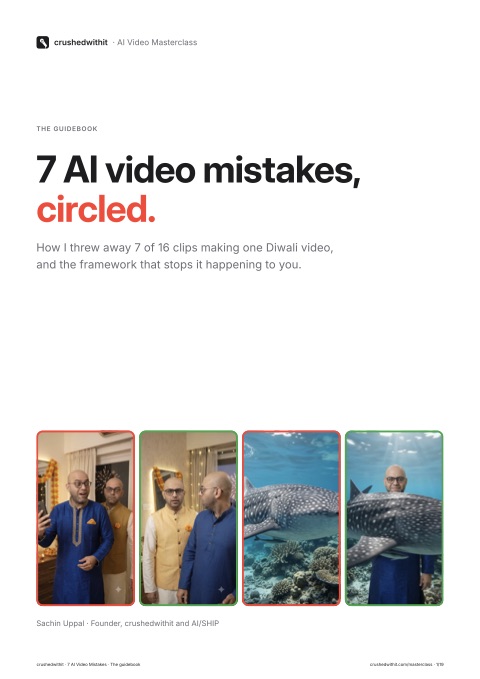
7 of my 16 AI clips went in the bin.

I made one 60-second Diwali video with my AI double. Every failure came from a gap in my prompt, not from the model. Here's each one, circled, with the fix.

16clips generated
7rejected
44%of clips wasted
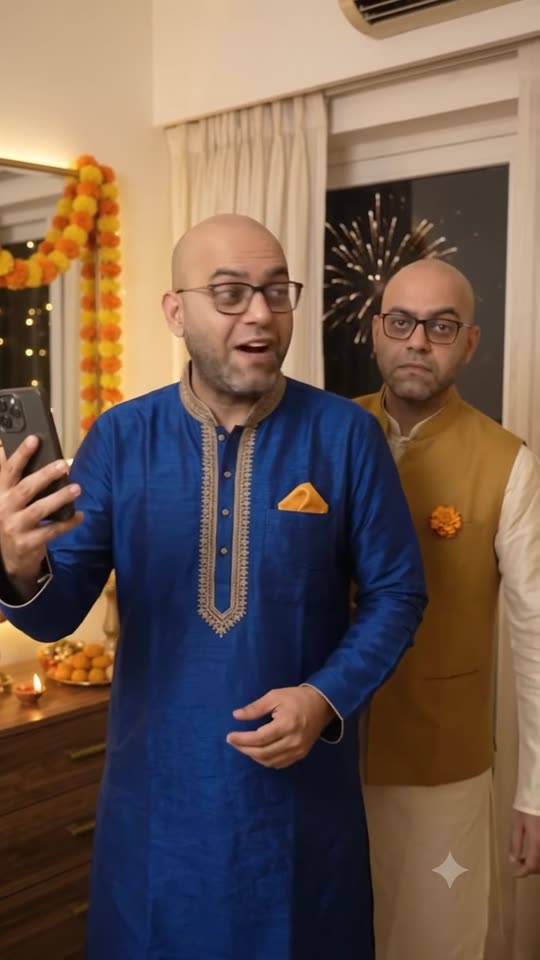
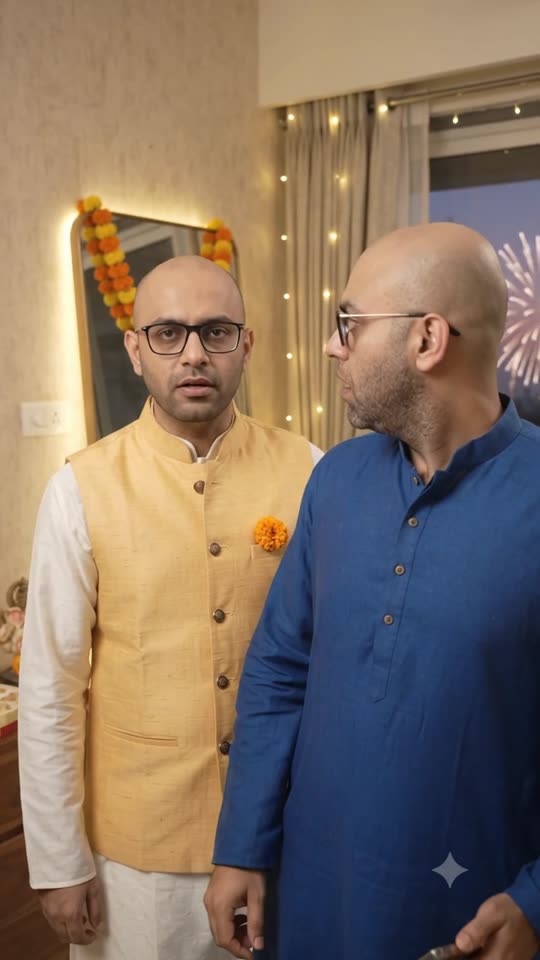
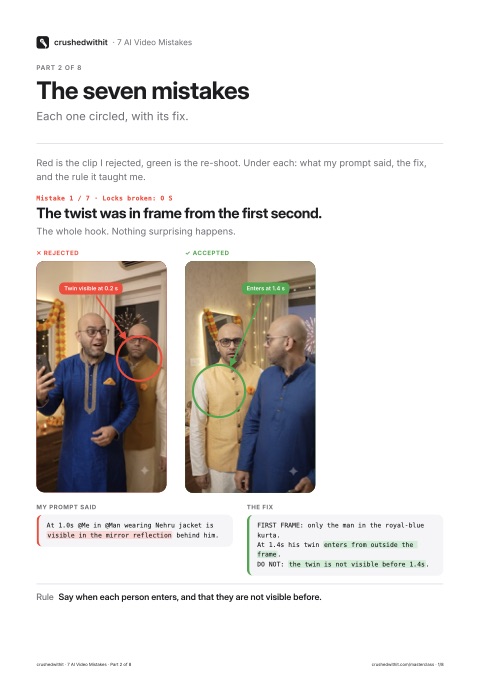
Rejected: twin already in frame
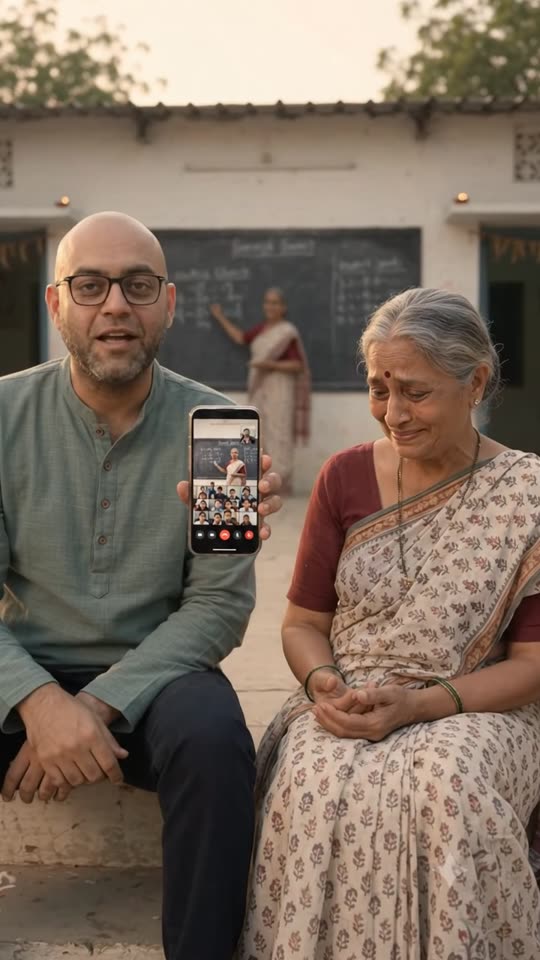
Rejected: floating phone
Rejected: subject vanished
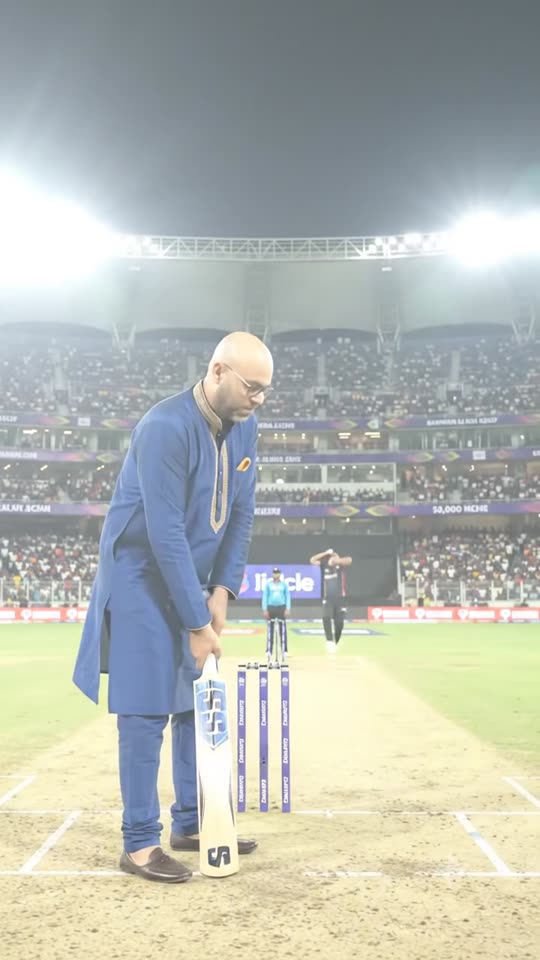
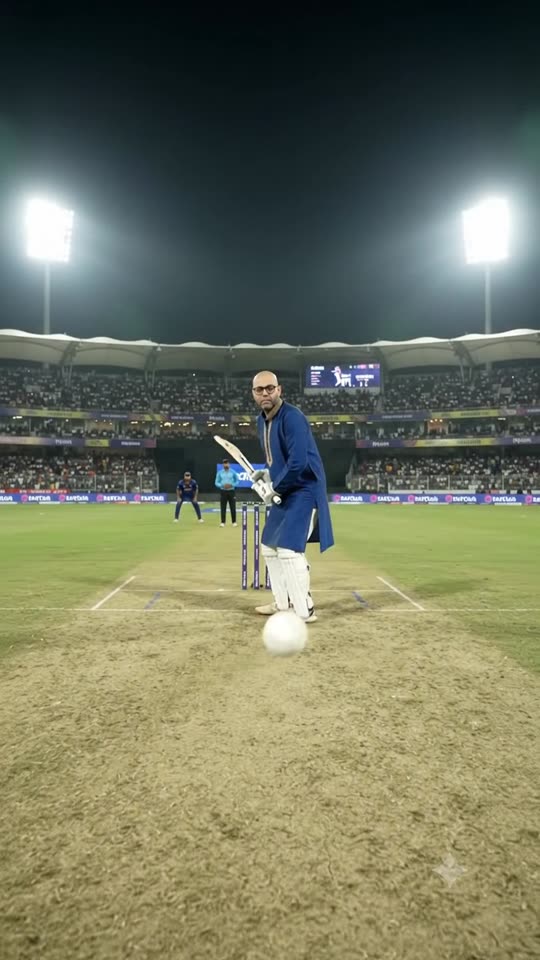
Rejected: bowler behind batsman
Accepted: twins in different outfits
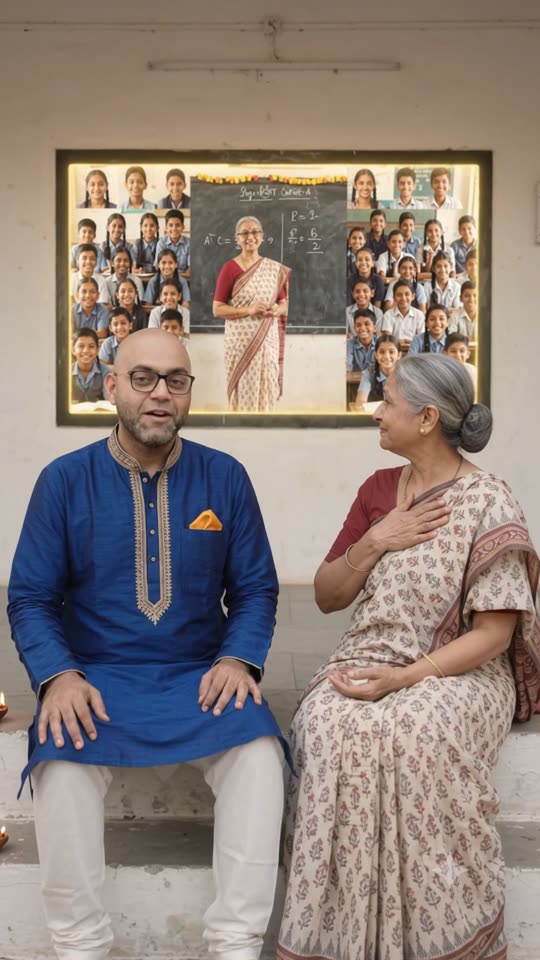
Accepted: chalkboard becomes a screen
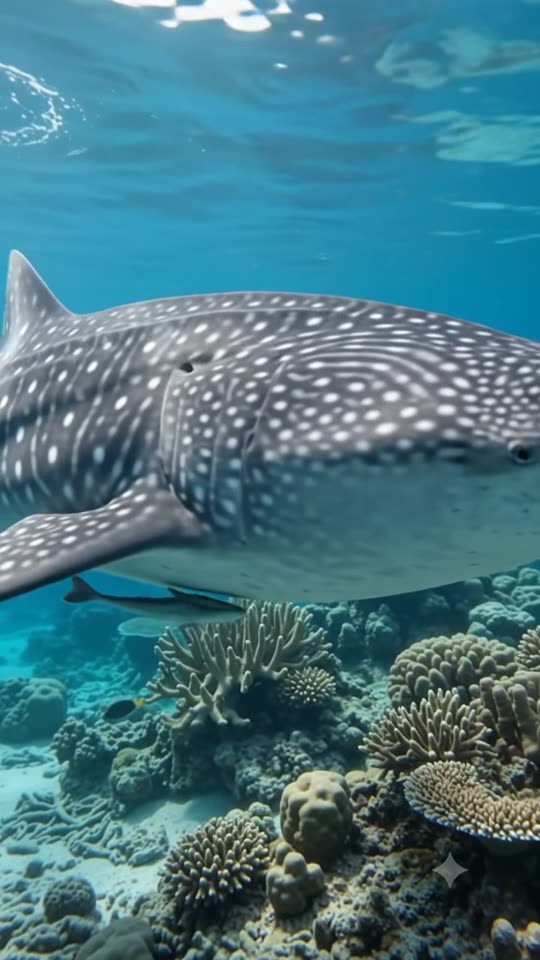
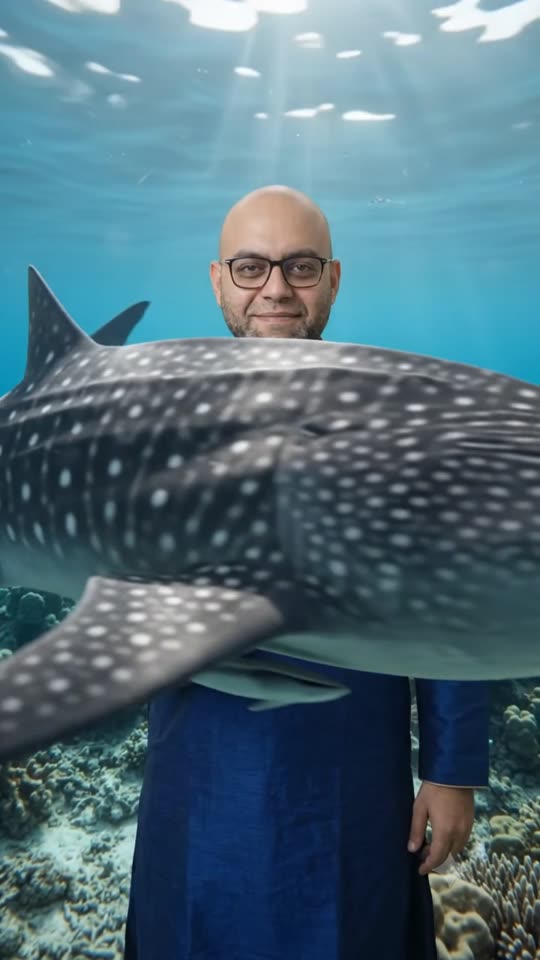
Accepted: shark passes in front
Accepted: ball comes from the camera

Free lesson

Leave your name and email, and it opens.

Seven mistakes, each circled, with the prompt that caused it and the fix. Then the ten checks and the template.

Your data. Getconvi Technologies Private Limited (the data fiduciary) uses your name and email to open the free lesson and, if you tick the box, to send news about the class. Kept 180 days as a lead; withdraw any time at sachin@getconvi.com. Privacy

Free downloads

Take the lesson with you.

The whole guidebook as one PDF, or each of the eight parts on its own. Free once you leave your name and email.

  1. Part 1Introduction2 pages · PDF 121 KB
    Download
  2. Part 2The seven mistakes8 pages · PDF 958 KB
    Download
  3. Part 3The LOCKS framework3 pages · PDF 165 KB
    Download
  4. Part 4One prompt, rebuilt3 pages · PDF 241 KB
    Download
  5. Part 5Budget your clips3 pages · PDF 166 KB
    Download
  6. Part 6Diagnose a bad clip2 pages · PDF 136 KB
    Download
  7. Part 7Ten checks and the template2 pages · PDF 139 KB
    Download
  8. Part 8Ship it, and questions3 pages · PDF 147 KB
    Download

The lesson · about 15 minutes

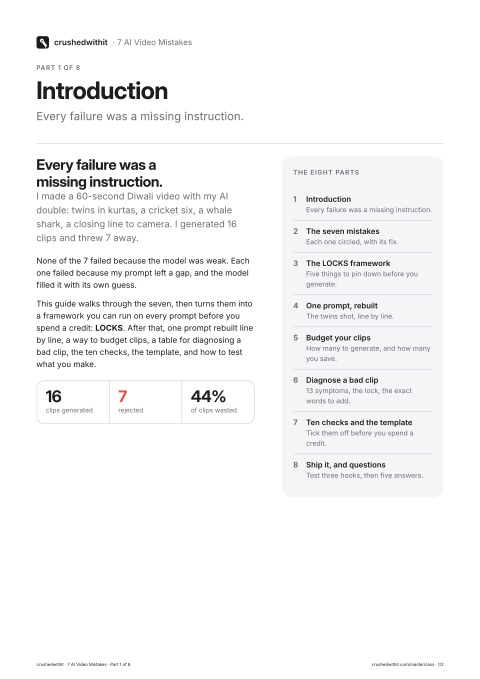
Every failure was a missing instruction.

I made a 60-second Diwali video with my AI double: twins in kurtas, a cricket six, a whale shark, a closing line to camera. I generated 16 clips and threw 7 away. None of the 7 failed because the model was weak. Each one failed because my prompt left a gap, and the model filled it with its own guess.

This lesson walks through the seven, then turns them into a framework you can run on every prompt before you spend a credit: LOCKS. After that, one prompt rebuilt line by line, a calculator for how many clips to budget, a table for diagnosing a bad clip, the ten checks, the template, and how to test what you make.

Part 1

The seven mistakes, circled.

Red is the clip I rejected, green is the re-shoot. Under each: what my prompt said, the fix, and the rule it taught me.

Part 2 · The framework

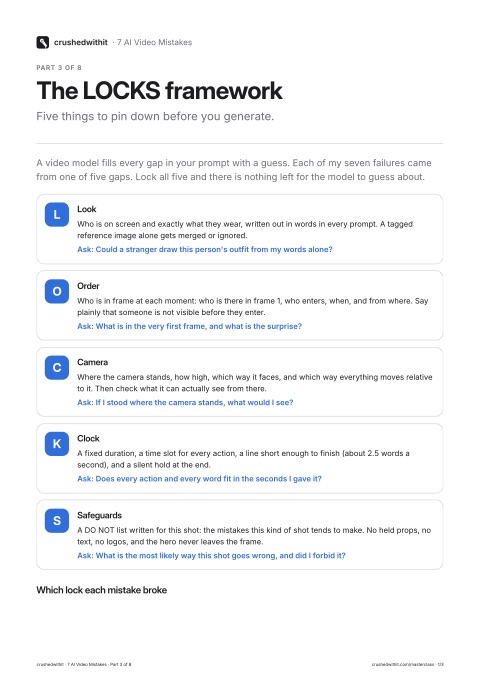
LOCKS: five things to pin down before you generate.

A video model fills every gap in your prompt with a guess. Each of my seven failures came from one of five gaps. Lock all five and there is nothing left for the model to guess about.

  1. L

    Look

    Who is on screen and exactly what they wear, written out in words in every prompt. A tagged reference image alone gets merged or ignored.

    Ask: could a stranger draw this person's outfit from my words alone?

  2. O

    Order

    Who is in frame at each moment: who is there in frame 1, who enters, when, and from where. Say plainly that someone is not visible before they enter.

    Ask: what is in the very first frame, and what is the surprise?

  3. C

    Camera

    Where the camera stands, how high, which way it faces, and which way everything moves relative to it. Then check what it can actually see from there.

    Ask: if I stood where the camera stands, what would I see?

  4. K

    Clock

    A fixed duration, a time slot for every action, a line short enough to finish (about 2.5 words a second), and a silent hold at the end.

    Ask: does every action and every word fit in the seconds I gave it?

  5. S

    Safeguards

    A DO NOT list written for this shot: the mistakes this kind of shot tends to make. No held props, no text, no logos, and the hero never leaves the frame.

    Ask: what is the most likely way this shot goes wrong, and did I forbid it?

Which lock each mistake broke

Safeguards shows up most often because a DO NOT line is the cheapest insurance: it costs one sentence and catches the failure the other four locks missed.

Part 3 · Worked example

One prompt, rebuilt with LOCKS.

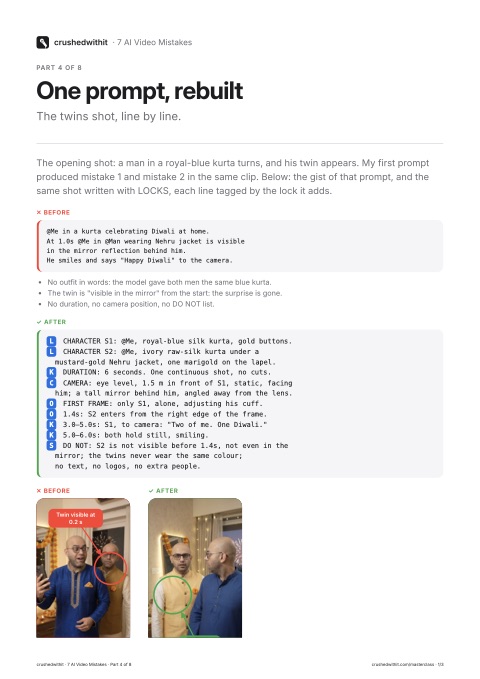
The opening shot: a man in a royal-blue kurta turns, and his twin appears. My first prompt produced mistake 1 and mistake 2 in the same clip. Below: the gist of that prompt, and the same shot written with LOCKS, each line tagged by the lock it adds.

✕ Before

@Me in a kurta celebrating Diwali at home.
At 1.0s @Me in @Man wearing Nehru jacket is visible
in the mirror reflection behind him.
He smiles and says "Happy Diwali" to the camera.
  • No outfit in words: the model gave both men the same blue kurta.
  • The twin is "visible in the mirror" from the start: the surprise is gone.
  • No duration, no camera position, no DO NOT list.

✓ After

L CHARACTER S1: @Me, royal-blue silk kurta, gold buttons.
L CHARACTER S2: @Me, ivory raw-silk kurta under a
  mustard-gold Nehru jacket, one marigold on the lapel.
K DURATION: 6 seconds. One continuous shot, no cuts.
C CAMERA: eye level, 1.5 m in front of S1, static, facing
  him; a tall mirror behind him, angled away from the lens.
O FIRST FRAME: only S1, alone, adjusting his cuff.
O 1.4s: S2 enters from the right edge of the frame.
K 3.0–5.0s: S1, to camera: "Two of me. One Diwali."
K 5.0–6.0s: both hold still, smiling.
S DO NOT: S2 is not visible before 1.4s, not even in the
  mirror; the twins never wear the same colour;
  no text, no logos, no extra people.

The "after" is longer, and that is the point: every line removes one guess. The DO NOT line repeats the two things this shot got wrong before, because a model reads "do not" as a hard edge.

Part 4 · Planning

How many clips should you budget?

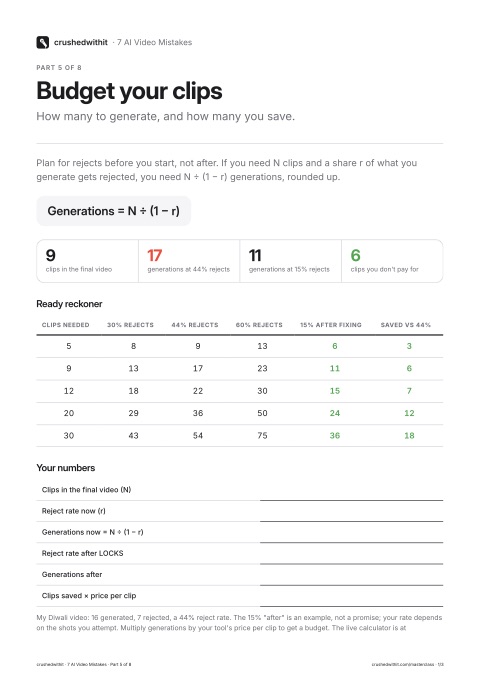
Plan for rejects before you start, not after. If you need N clips and a share r of what you generate gets rejected, you need N ÷ (1 − r) generations. Try your own numbers.

17generations at your current rate
11generations after the fix
6clips you don't pay for

My Diwali video: 16 generated, 7 rejected, a 44% reject rate. The 15% "after" is an example to play with, not a promise; your rate depends on the shots you attempt. Multiply generations by your tool's price per clip to get a budget.

Part 5 · Troubleshooting

Diagnose a bad clip in one look.

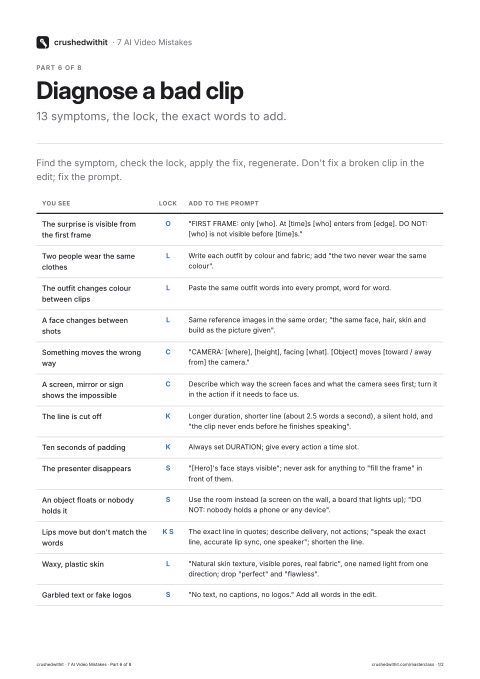
Find the symptom, check the lock, apply the fix, regenerate. Don't fix a broken clip in the edit; fix the prompt.

You seeLockAdd to the prompt
The surprise is visible from the first frameO"FIRST FRAME: only [who]. At [time]s [who] enters from [edge]. DO NOT: [who] is not visible before [time]s."
Two people wear the same clothesLWrite each outfit by colour and fabric; add "the two never wear the same colour".
The outfit changes colour between clipsLPaste the same outfit words into every prompt, word for word.
A face changes between shotsLSame reference images in the same order; "the same face, hair, skin and build as the picture given".
Something moves the wrong wayC"CAMERA: [where], [height], facing [what]. [Object] moves [toward / away from] the camera."
A screen, mirror or sign shows the impossibleCDescribe which way the screen faces and what the camera sees first; turn it in the action if it needs to face us.
The line is cut offKLonger duration, shorter line (about 2.5 words a second), a silent hold, and "the clip never ends before he finishes speaking".
Ten seconds of paddingKAlways set DURATION; give every action a time slot.
The presenter disappearsS"[Hero]'s face stays visible"; never ask for anything to "fill the frame" in front of them.
An object floats or nobody holds itSUse the room instead (a screen on the wall, a board that lights up); "DO NOT: nobody holds a phone or any device".
Lips move but don't match the wordsK SThe exact line in quotes; describe delivery, not actions; "speak the exact line, accurate lip sync, one speaker"; shorten the line.
Waxy, plastic skinL"Natural skin texture, visible pores, real fabric", one named light from one direction; drop "perfect" and "flawless".
Garbled text or fake logosS"No text, no captions, no logos." Add all words in the edit.

Part 6 · Before you spend a single credit

Ten checks. Each one cost me a clip.

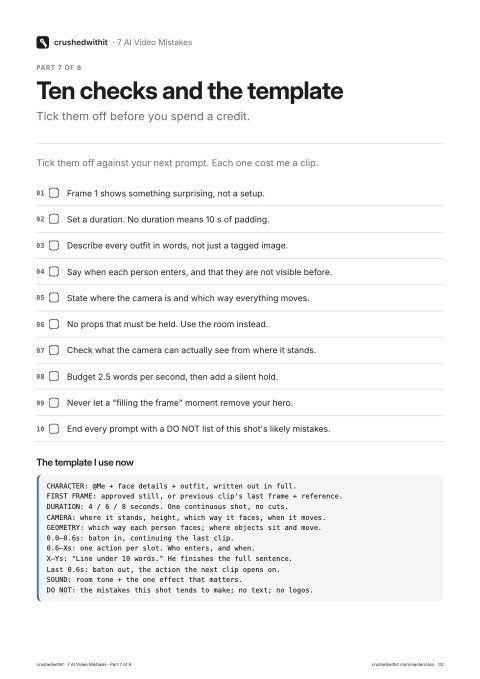
Tick them off against your next prompt. 0 of 10 done.

  1. Frame 1 shows something surprising, not a setup.
  2. Set a duration. No duration means 10 s of padding.
  3. Describe every outfit in words, not just a tagged image.
  4. Say when each person enters, and that they are not visible before.
  5. State where the camera is and which way everything moves.
  6. No props that must be held. Use the room instead.
  7. Check what the camera can actually see from where it stands.
  8. Budget 2.5 words per second, then add a silent hold.
  9. Never let a "filling the frame" moment remove your hero.
  10. End every prompt with a DO NOT list of this shot's likely mistakes.

The template I use now

CHARACTER: @Me + face details + outfit, written out in full.
FIRST FRAME: approved still, or previous clip's last frame + reference.
DURATION: 4 / 6 / 8 seconds. One continuous shot, no cuts.
CAMERA: where it stands, height, which way it faces, when it moves.
GEOMETRY: which way each person faces; where objects sit and move.
0.0–0.6s: baton in, continuing the last clip.
0.6–Xs: one action per slot. Who enters, and when.
X–Ys: "Line under 10 words." He finishes the full sentence.
Last 0.6s: baton out, the action the next clip opens on.
SOUND: room tone + the one effect that matters.
DO NOT: the mistakes this shot tends to make; no text; no logos.

Part 7 · After the edit

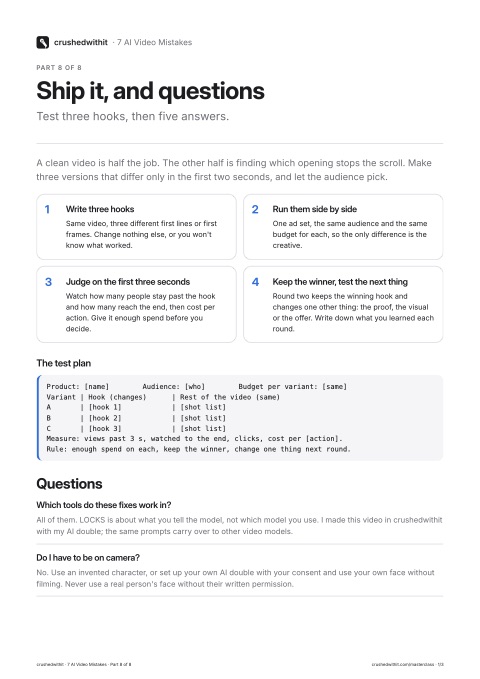
Ship it, then test three hooks.

A clean video is half the job. The other half is finding which opening stops the scroll. Make three versions that differ only in the first two seconds, and let the audience pick.

  1. Write three hooks

    Same video, three different first lines or first frames. Change nothing else, or you won't know what worked.

  2. Run them side by side

    One ad set, the same audience and the same budget for each, so the only difference is the creative.

  3. Judge on the first three seconds

    Watch how many people stay past the hook and how many reach the end, then cost per action. Give it enough spend before you decide.

  4. Keep the winner, test the next thing

    Round two keeps the winning hook and changes one other thing: the proof, the visual or the offer. Write down what you learned each round.

The test plan

Product: [name]        Audience: [who]        Budget per variant: [same]
Variant | Hook (changes)      | Rest of the video (same)
A       | [hook 1]            | [shot list]
B       | [hook 2]            | [shot list]
C       | [hook 3]            | [shot list]
Measure: views past 3 s, watched to the end, clicks, cost per [action].
Rule: enough spend on each, keep the winner, change one thing next round.

Part 8

Questions

Which tools do these fixes work in?

All of them. LOCKS is about what you tell the model, not which model you use. I made this video in crushedwithit with my AI double; the same prompts carry over to other video models.

Do I have to be on camera?

No. Use an invented character, or set up your own AI double with your consent and use your own face without filming. Never use a real person's face without their written permission.

How long should one clip be?

Short. Four to eight seconds, one action, at most one camera move. Join clips in the edit. Long single clips drift: faces change and lines go out of sync.

Why do my lips not match the words?

Usually the line is too long for the seconds, or the prompt asks the person to act out the words. Give the exact line in quotes, describe delivery (energy, pace, eye line), and keep it to one or two short sentences.

What does the masterclass add to this?

Two hours live: we write your brief and three hooks, lock your character and look, make the clips, edit, and set up three variants to test, for your own product. You leave with three finished videos and the recording.

The masterclass

Learn the rest live. Skip the bin.

Two hours with me. You build your own AI double and leave with three finished videos, made right the first time.

  • The full prompt system behind these fixes
  • Your AI double, set up in class
  • Three finished videos for your business
  • Recording and templates included
  • ₹6,760 of extras free with your seat: a day of Ultra, the prompt guide, a doubt session and more
₹999₹2,999

Daily · 7–9 PM IST · Live on Google Meet

Choose your class

Taught by Sachin Uppal: $100M+ in ad spend managed; Harvard Business School executive programme; IIM Calcutta.

All clips are AI generated with the author's consented AI double. Shown as short extracts for teaching.

Try crushedwithit

Make your first AI video today. Free to start.

Your data. Getconvi Technologies Private Limited (the data fiduciary) uses your name and email to set up your crushedwithit account and, if you tick the box, to send product news. Kept 180 days as a lead; withdraw any time at sachin@getconvi.com. Privacy

₹999 · Daily 7 PM IST
Join